
Engineers Network
  • Home
  • About Us
  • Privacy Policy
  • Contact Us
  • Sitemap
  • Write for us
Home  /  Technology  /  How to sync audio and video of live broadcast

How to sync audio and video of live broadcast

Paul Faillace June 01, 2021 Technology Leave a Comment
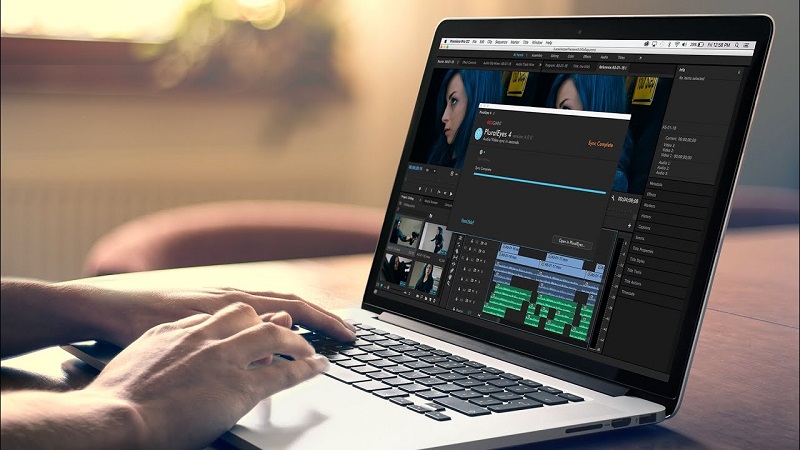
How to sync audio and video

One problem that is very common in live broadcasts is out-of-date audio in the video.

And sometimes this can be a bit exasperating or uncomfortable for the viewer who is watching the live broadcast.

But fortunately, this has a solution and shortly in this post, we will tell you how you can solve it with the following two options.

1. Separate audio and video sourcesHow to sync audio and video

This point means that both the video signal you want to transmit and the audio are reaching your computer through different devices.

What you have to do to synchronize the audio with the video is the following (I will do it from OBS but for the other streaming software it is very similar):

  • Click on the gear logo of the device where we are receiving our audio.
  • Select the option “Advanced audio properties”
  • Modify the synchronization interval of the device where we are receiving the audio (the value varies between 200 ms – 300 ms)
  • In order to have the exact value, I recommend that you do a series of tests either with a private live transmission or with a recording from OBS or the software you are using since this varies depending on the devices that we are using both in audio and in the video.

You May Like- All the benefits of Windows 10 operating system

2. Audio and Video sources in the same deviceHow to sync audio and video

This point is to tell you that if your video capture device has audio inputs, use them because that is how easy and simple your audio will be synchronized.

There are video switchers that have audio inputs in which you can send the audio from a console or even connect some microphones directly to them if you are not going to use many channels.

For example, the Atem Mini has 2 3.5mm stereo audio inputs in which you can connect the signal from your audio console through an RCA cable to a 3.5mm TRS plug or some other cable such as a 6.3mm TS plug to a 3.5 TRS plug. mm depending on the outputs your console has.

The Roland VR-4HD has up to 8 audio inputs between XLR, TS, and TRS (plug) and RCA inputs. This means that with this device we can send audio from wherever we want, either by connecting microphones, output from our console, or some other device, no problem.

And that easy with these 2 simple options you can perfectly synchronize the audio and video of your live broadcasts.

This has been all I hope you have enjoyed this post but above all that it has been a blessing for your life, remember that if you liked it, do not hesitate to like it and share it.


Tags: How to sync audio and video, sync audio and video
Previous Article
Next Article

About Author

Paul Faillace

Related Posts

  • Content creator using Instagram analytics to grow followers organically on mobile phone

    How To Obtain Followers On Instagram: 100% Working

    May 12, 2026
  • User recovering deleted Snapchat conversations using phone settings and backup tools on a smartphone screen

    How To Recover Conversations On Snapchat

    May 8, 2026
  • Entrepreneur using digital tools to grow an online brand and audience

    How to Grow Your Online Brand with Digital Tools: A Strategic Guide for 2026

    March 8, 2026

Leave a Reply

Cancel reply

Recent Posts

  • How to decide if wrapping your luggage at the airport is worth the cost. Explore the benefits of theft prevention, scuff protection, and enhanced bag security.
    Is It Worth Wrapping Your Luggage at the Airport? May 13, 2026
  • Content creator using Instagram analytics to grow followers organically on mobile phone
    How To Obtain Followers On Instagram: 100% Working May 12, 2026
  • User recovering deleted Snapchat conversations using phone settings and backup tools on a smartphone screen
    How To Recover Conversations On Snapchat May 8, 2026
  • Student in California starting a computer engineering career with laptop, coding screen, and circuit board project.
    How to Start a Career in Computer Engineering in California (CA) April 29, 2026

Categories

  • About Engineering
  • Aeronautical Engineering
  • Agricultural Engineering
  • agricultural machinery
  • Architectural Engineering
  • Artificial Intelligence
  • Automotive Engineering
  • Biochemical Engineering
  • Biomedical Engineering
  • Chemical Engineering
  • Civil Engineering
  • Computer Engineering
  • Ecological Engineering
  • Electrical Engineering
  • Engineering Career
  • Environmental Engineering
  • Food Engineering
  • Foreign Article
  • Genetic Engineering
  • Industrial Engineering
  • Mechanical Engineering
  • Medical Engineering
  • Nanotechnology
  • Petroleum Engineering
  • Reviews
  • Solaris Engineering
  • Space Systems Engineering
  • Technology
  • Telecommunication Engineering
  • Types of Engineering

Random Posts

  • how hard is mechanical engineering
    How hard is mechanical engineering? August 23, 2021
  • Glass vs Plastic: 7 Factors to Consider for Packaging your Product May 10, 2021
  • Impact of Automation on Employees
    Impact of Automation on Employees That Might Be Ruining The World June 15, 2022
  • Metal Bonding in Construction June 28, 2021

Popular Posts

  • How to decide if wrapping your luggage at the airport is worth the cost. Explore the benefits of theft prevention, scuff protection, and enhanced bag security.
    Is It Worth Wrapping Your Luggage at the Airport? May 13, 2026
  • Aims & Objectives December 17, 2015
  • Our Goal December 17, 2015
  • space station
    Russia wants its own space station December 28, 2015
Theme by ThemesPie | Proudly Powered by WordPress