
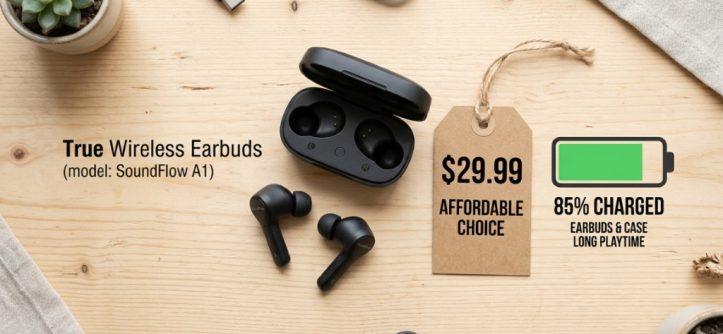
You know the feeling. You are on a long commute, ready to dive into a podcast, and suddenly—dead. Your earbuds gave up after just three hours, and you are left in silence. We have all been there, and it is frustrating. Finding affordable wireless earbuds long battery life used to feel like a myth, but it is entirely possible in 2026. The market has shifted, and budget models now offer performance that was once reserved for $200 flagships. The real challenge is not spending less; it is knowing which specifications actually matter and which are just marketing fluff. This guide will walk you through the exact process of selecting a pair that will last through your entire workday, workout, and travel without breaking the bank.
What Battery Life Should You Expect from Affordable Earbuds in 2026?
In 2026, budget earbuds should deliver at least 8 to 10 hours of playback on a single charge. With the charging case, you should expect a total of 30 to 40 hours. Anything less than that is simply not competitive anymore.
The New Baseline for Budget Models
The definition of “affordable” has shifted. You no longer need to sacrifice battery for price. Modern chips like the WQ7033 or the BES2500 series are incredibly power-efficient, allowing even $40 earbuds to squeeze out double-digit hours. Brands like Anker, Soundcore, and Redmi have made long battery life a standard feature, not a premium one. When you see a pair claiming 6 hours of playback in 2026, you should question the technology inside them.
Why Efficiency Matters More Than Raw Battery Size
It is tempting to look at the milliampere-hour (mAh) rating of the battery, but that is only half the story. A larger battery with inefficient drivers will die faster than a smaller battery with a low-power chip. Look for earbuds that specify their codec support. AAC and aptX are efficient, while LDAC, although high-quality, consumes more power. For pure longevity, choose earbuds that prioritize an optimized Bluetooth 5.4 connection, which offers lower latency and reduced power draw.
How to Read Battery Specs Like a Pro
Do not just look at the marketing number. Check the fine print. Does the “10 hours” include noise cancelling on or off? Most manufacturers list battery life with ANC off. Always assume you will lose about 25-30% of the battery life if you use noise cancelling constantly. If a product claims 10 hours, expect 7 to 8 in the real world. This simple mental adjustment will prevent you from being disappointed after your first week.
Which Features Drain Your Battery Faster Than You Think?
Noise cancelling and high-volume listening are the two biggest battery drains. Transparency mode also uses microphones constantly. Understanding these power-hungry features helps you manage your usage effectively.
Is Active Noise Cancellation Worth the Battery Cost?
It depends on your environment. If you commute on a noisy subway, ANC is a lifesaver, but it will cut your battery life significantly. If you mostly use earbuds in a quiet office, you can switch ANC off and gain almost 2 extra hours of playback. Many 2026 budget models allow you to turn off ANC to extend battery, and you should use this feature strategically.
The Hidden Power Drain of “Find My” and App Connectivity
Always-on features like “Find My Earbuds” or continuous app background syncing can sap the earbuds’ standby battery. This is particularly annoying when you take them out of the case and find them dead. Look for earbuds that allow you to disable these features in the companion app. A physical button on the case that puts the earbuds into deep sleep is a gold-standard feature for battery preservation.
Volume Levels and Audio Codecs
Listening at 80% volume versus 50% volume can halve your battery life. Also, if you are using a codec like LDAC on a budget phone, the processing power required will drain the earbuds faster. For maximum lifespan, stick to AAC or SBC codecs when you are on a long journey and want to ensure the battery lasts.
How to Compare Battery Life Across Different Brands
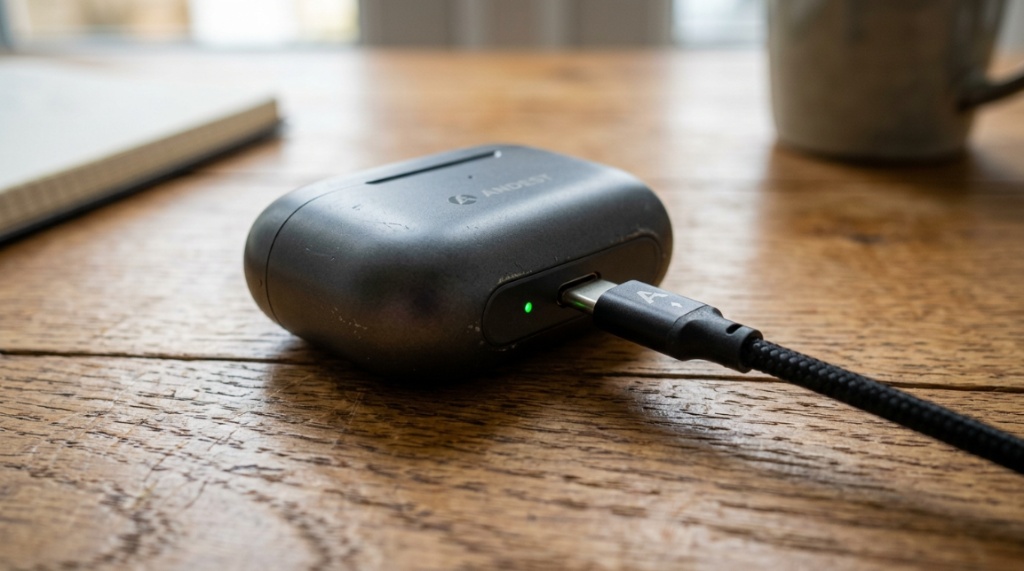
You cannot just compare “hours” on a spec sheet. You must look at the battery capacity of the case, the efficiency of the drivers, and the software optimization. Here is how to break it down.
Decoding the Charging Case Capacity
The case is the lifeline. A case with a 500mAh battery will charge a pair of earbuds (each with 50mAh) about 4-5 times. This gives you a total of roughly 40+ hours. But bigger cases are heavier. If you plan to run or travel light, a smaller case with 2-3 charges might be a better trade-off for portability. Look for the “total playback” number rather than just the case capacity.
Quick Charge: The Feature You Didn’t Know You Needed
A 10-minute quick charge that gives you 2 hours of playback is a lifesaver. In 2026, this feature is no longer exclusive to premium brands. If you are looking at affordable wireless earbuds long battery options, specifically check for fast charge support. This is often more valuable than an extra hour of total battery, as it solves the “forgot to charge” problem instantly.
App Features That Extend Battery Life
Most budget brands now offer an equalizer (EQ) in their app. While it is fun to tweak sound, increasing bass via software can increase power consumption. Use the “Battery Saver” or “Power Mode” preset if your earbuds have one. This usually disables lighting effects and reduces volume clipping, giving you a noticeable battery boost in critical moments.
How Many Hours of Playback Is Actually Enough for a Day?
For a typical 8-hour workday, you need at least 10 hours with the case included. However, for frequent travelers, 30+ hours total is the sweet spot. Here is how to match battery to your lifestyle,Looking for a specific budget recommendation? Check out our detailed breakdown in MY VIVITAR EARBUDS REVIEW to see how low-cost audio holds up in real-world testing.
Battery Needs for Commuters
If you have a 45-minute commute, you are looking at 1.5 hours of daily listening. A simple pair with 6 hours in the earbuds and 18 total will last you two weeks without charging. However, if your commute involves flights or trains, you should prioritize total case capacity over absolute earbud playtime, allowing you to recharge mid-trip.
Battery Needs for Gym and Sports Enthusiasts
Workouts are sweaty and long. A 2-hour gym session demands earbuds that can last at least 5 hours to cover a gym session plus the gym-to-home commute. The key here is also sweat resistance (IPX5), but battery-wise, you need stable playback without dropouts. Look for earbuds with a low-latency game mode, which ironically sometimes uses less power than standard mode due to optimized data transfer.
Battery Needs for Gamers and Streamers
Gaming uses Bluetooth low-energy (BLE) protocols which can drain battery differently. If you are gaming, you need low latency, but you also do not want to plug in every hour. Look for a “low latency” mode that also promises 5+ hours of continuous gaming. Avoid earbuds that only advertise high battery life when using the case, as gamers often use one earbud at a time while the other charges in the case.
Can You Trust the Battery Ratings on Budget Earbuds?
Generally, no. Budget brands often use optimistic testing conditions. However, you can spot honest brands by looking at user reviews and independent teardowns. Trust tests over specs.
Recognizing “Marketing Hours” vs. “Real Hours”
Marketing hours are tested at 50% volume, with ANC off, in a quiet room. Real hours are your actual listening. A good rule of thumb is to halve the advertising claim for practical use. If they say 12 hours, expect 6-7. This is not a scam; it is just physics and volume variance.
The Role of User Reviews in Verifying Battery
Skip the 5-star reviews and read the 3-star ones. Look for phrases like “battery dies fast” or “case doesn’t charge.” If multiple users in the last 6 months report the same battery drain issue, it is a hardware flaw, not a software bug. Check the date of reviews; a firmware update may have fixed an older battery issue.
Return Policies: Your Best Battery Test
The most reliable test is your own. Buy from a retailer with a 30-day return policy. Test the earbuds at your typical volume for a week. If the battery doesn’t meet your needs, return them. This is why buying from Amazon or Best Buy is often safer than buying from a random brand’s website with no easy returns.
Which Budget Earbuds Offer the Best Battery Life in 2026?
In 2026, specific models stand out for battery efficiency. The Soundcore Life P3i offers around 9 hours with ANC off. The Redmi Buds 5 Pro push 10 hours. The Tozo NC2 have a massive case that offers 45 hours total. These are the benchmarks.
Comparing Top Budget Contenders
Let’s look at a quick comparison of the current market leaders:
| Model | Playback (ANC Off) | Total with Case | Price Range |
|---|---|---|---|
| Soundcore Life P3i | 9 hours | 36 hours | ~$50 |
| Redmi Buds 5 Pro | 10 hours | 38 hours | ~$60 |
| Tozo NC2 | 8 hours | 45 hours | ~$35 |
| Baseus Bowie MA10 | 7 hours | 40 hours | ~$40 |
Why the Soundcore P3i Remains a Top Pick
The P3i is not the absolute longest lasting, but it is the most consistent. Its battery efficiency is stable across different volume levels. The app also has a “Battery Mode” that disables the LED lights on the case, saving an additional 15% of the case’s stored power. This attention to software detail makes it a reliable choice for daily use.
When to Choose the Tozo NC2 for Max Endurance
If you are a frequent flyer or a long-haul trucker, the Tozo NC2’s 45-hour total is unbeatable. However, the earbuds themselves only last 8 hours, meaning you will need to swap them in the case often. The case is bulky but acts as a power bank. This is a classic trade-off between portability and endurance.
Newcomer Alert: The 2026 Baseus Bowie MA10
Baseus has stepped up their game in 2026. The MA10 uses a new Bluetooth 5.4 chip that cuts power consumption by 30% compared to their previous models. While the earbuds only last 7 hours, the case charges them 5.7 times, putting the total at 40 hours. This is a great balanced option for users who want a long total time but also want a slightly smaller case than the Tozo.
How to Charge Your Earbuds to Maximize Lifespan
Battery longevity is not just about how long they last per charge; it is about how long the battery lives over years. Proper charging habits can double the lifespan of your earbuds’ batteries.
The 20/80 Rule for Lithium Cells
Lithium-ion batteries do not like being fully drained or fully charged. Try to keep the case between 20% and 80% charged. If you only charge your case once a week, plug it in when it hits 30% and unplug it at 90%. This reduces stress on the cells and prevents swelling, a common issue with cheap buds.
Wireless Charging vs. Wired Charging
Wireless charging is convenient, but it generates more heat than a wired connection. Heat is the enemy of lithium batteries. If you are charging your earbuds wirelessly overnight, consider unplugging them from the wireless pad after they are full. If you need maximum battery health, use a wired USB-C connection at lower wattage (5W-10W) whenever possible.
Storing Earbuds for Long Periods
If you are not using your earbuds for a month, store them at 50% battery in a cool, dry place. Do not leave them fully charged, as this degrades the cell. Do not leave them fully dead either, as the battery can drop to zero voltage and become unusable. Checking and topping them up to 50% every few months is the best strategy.
Can Firmware Updates Improve Battery Life?
Yes, absolutely. Manufacturers frequently release firmware updates that optimize power consumption. Checking for updates is the first step to fixing battery drain issues.
How to Update Your Earbuds Firmware
Most budget earbuds require a specific app. Open the app, connect your earbuds, and look for a “Firmware Update” or “Settings” section. Ensure your earbuds are inside the case with the lid open (to keep them awake) and have more than 50% charge in the case. Download the update over Wi-Fi, not mobile data, and do not close the app while it installs.
What Updates Typically Fix
Updates often fix “ghost touch” issues, random disconnections, and battery percentage inaccuracies. For example, an early 2025 batch of Redmi Buds had a bug where the right earbud drained 20% faster than the left. A firmware update in mid-2025 resolved this. If you see a drop in battery life after a recent phone OS update, check for a firmware patch before buying new earbuds.
When Updates Hurt Battery Life
Occasionally, a firmware update can reduce battery life if it adds new features, like better voice assistant integration. If you notice a significant battery drop after an update, try resetting the earbuds to factory settings. If that fails, you might need to wait for the next update to fix the performance regression.
Why Does the Charging Case Lose Power Over Time?
The case itself is a battery, and it ages just like the earbuds. If your case dies quickly, it might not be a malfunction; it could be natural wear and tear.
Identifying a Failing Charging Case
If your case loses half its charge in a day without even being used, the cells are degrading. This often happens after 18-24 months of heavy use. The case’s LEDs will also blink erratically. When this happens, it is often cheaper to replace the entire set of earbuds rather than try to replace the case, as cases are rarely sold separately for budget models.
Parasitic Drains in the Case
Even when the case is closed, some power is used to keep the earbuds from completely discharging and to check if the lid is opened. This is called “parasitic drain.” A good case loses about 2% per day. A cheap case might lose 5-10% per day. If your case is losing 10% overnight, the battery is bad or the case is internally shorted. Check for debris in the charging pins.
Cleaning The Charging Contacts
Dirty contacts can cause the case to repeatedly try to charge the earbuds, wasting power. Clean the gold contacts on the earbuds and the case with a dry cotton swab dipped in isopropyl alcohol (make sure it’s dry before inserting). This simple maintenance can improve battery efficiency by up to 15%.
Is It Better to Buy Earbuds with or without a Case?
Always buy earbuds with a case. The case is not just for charging; it protects the earbuds from dust and physical damage. The battery inside the case is what makes wireless earbuds practical.
The Case as a Power Bank
Some budget cases in 2026 now offer charging through a USB-C cable from the case to your phone. While this drains your backup battery, it is useful in emergencies. If you choose a model with this feature, be aware that it severely drains the case’s stored power, meaning you might come back to dead earbuds.
Storing Earbuds Without the Case
Never store earbuds without the case long-term. The exposed drivers get damaged and the battery drains faster due to the lack of standby protection. The case maintains a controlled environment for the battery.
Using a Smart Watch to Control Case Battery
Many 2026 apps allow you to view the case battery level on your smartwatch. This is a great way to ensure you always have enough charge before leaving a place. This feature is usually called “Widget” or “Watch Companion.”
Frequently Asked Questions
Here are common questions users ask about battery life on budget earbuds.
Is 30 hours of total battery good for earbuds?
Yes, 30 hours total is excellent. The current average for budget earbuds is 24-28 hours. 30+ hours indicates a high-capacity case and efficient earbuds that will easily cover international travel and long workdays without anxiety.
Does lower volume actually save battery?
Yes. Reducing volume from 100% to 70% can extend playback by up to 2 hours. The amplifier circuit expends more power driving the drivers at higher volumes, especially with bass-heavy tracks.
Can I use my earbuds while they are charging in the case?
No, you cannot use the earbuds while they are inside the case. However, some models offer “dual connection” where one bud can be used and the other charges independently. If you need this feature, look for “single bud mode” in the specs.
What is the most common reason for battery drain?
The most common reason is background connection to the phone. If Bluetooth is left on and the earbuds are out of the case but not in your ears, they are broadcasting and searching for a connection. Always place them back in the case when not in use.
Does a lower bitrate save battery?
Yes. Using a lower bitrate codec like SBC instead of AAC reduces processing load. If you are listening to podcasts, an SBC connection will give you an extra hour of battery compared to streaming high-res audio over LDAC.
How often should I replace my earbuds battery?
Most budget earbuds batteries last 300-500 full charge cycles. This equals roughly 18-24 months of daily use. After that, you will notice a significant drop in playtime, typically down to 50% of the original capacity, and it is time to consider a new pair.
Conclusion
Finding affordable wireless earbuds long battery life does not have to be a compromise. In 2026, the market is stacked with great options that deliver 8+ hours per charge and 30+ hours with the case. The trick is to stop obsessing over giant numbers and start prioritizing efficiency, quick-charging, and honest testing. Remember to check if the battery rating includes ANC off, look for the low-latency power modes, and always update your firmware. Whether you pick the balanced Soundcore P3i or the marathon-runner Tozo NC2, the perfect pair is out there for your specific daily routine. Do not settle for the first cheap option you see; use these guidelines, make a shortlist, and then read recent reviews from users who have actually lived with them. Your ears—and your sanity—will thank you during those long trips and endless commutes.




Leave a Reply