
Large software projects demand sophisticated tools for successful development and deployment. Computer-aided software engineering (CASE) tools streamline complex processes, reduce errors, and improve team collaboration. Choosing the right CASE tools determines whether projects meet deadlines, budgets, and quality standards.
This comprehensive guide explains how to evaluate and select CASE tools for large-scale software development. Understanding tool categories, project requirements, and selection criteria ensures optimal technology investments.
Understanding Computer-Aided Software Engineering Tool Categories
CASE tools fall into distinct categories serving different development phases. Upper CASE tools support planning and design stages, including requirements analysis and system architecture. These tools help teams visualize system structures before writing code.
Lower CASE tools assist implementation and testing phases. Code generators, debuggers, and automated testing frameworks fall into this category. Additionally, these tools directly impact development speed and code quality.
Integrated CASE tools combine upper and lower capabilities into unified platforms. These comprehensive solutions support entire software development lifecycles. However, integrated tools often require significant financial investment and learning curves.
Project management CASE tools coordinate team activities, track progress, and manage resources. Version control systems, issue trackers, and collaboration platforms enable distributed teams to work efficiently. Therefore, these tools prove essential for large projects with multiple developers.
Assessing Your Project’s Specific Requirements
Project size and complexity directly influence CASE tool selection. Small teams building straightforward applications need different tools than enterprises developing mission-critical systems. Evaluate your project scope, team size, and technical complexity honestly.
Technology stack considerations determine compatible CASE tools. Some tools specialize in specific programming languages or frameworks. Moreover, cloud-native applications require different tooling than traditional on-premises software.
Regulatory compliance requirements affect tool selection significantly. Healthcare, financial, and government projects need CASE tools supporting audit trails and security standards. Additionally, compliance documentation features become essential rather than optional.
Team skill levels and experience determine appropriate tool complexity. Steep learning curves delay projects when teams struggle with sophisticated platforms. Therefore, balance advanced capabilities against realistic adoption timelines.
Evaluating Integration Capabilities
Modern software development relies on interconnected tool ecosystems. CASE tools must integrate seamlessly with existing development infrastructure. Check compatibility with current version control systems, continuous integration pipelines, and deployment platforms.
API availability enables custom integrations and workflow automation. Robust APIs allow teams to build bridges between disparate tools. However, poorly documented APIs create integration nightmares consuming valuable development time.
Data portability prevents vendor lock-in and supports future flexibility. Ensure CASE tools export data in standard formats accessible to other systems. Additionally, verify import capabilities for migrating existing project data.
Plugin ecosystems extend tool functionality without custom development. Mature CASE platforms offer extensive plugin marketplaces addressing specialized needs. Therefore, investigate available extensions before committing to platforms.
According to Forbes Technology Council, successful tool selection requires evaluating how new software fits within existing technology stacks and workflows.
Analyzing Scalability and Performance
Large projects grow in scope, team size, and codebase complexity. CASE tools must scale alongside project evolution without performance degradation. Test tools with realistic data volumes matching anticipated project size.
Repository size limitations constrain some version control systems and code management platforms. Verify storage capacities accommodate projected growth over multi-year project timelines. Moreover, understand cost implications as usage scales.
Concurrent user support determines whether tools handle large distributed teams. Some platforms slow dramatically when dozens of developers work simultaneously. Therefore, performance testing under realistic loads prevents future bottlenecks.
Processing speed affects developer productivity and satisfaction. Slow compilation, testing, or deployment processes frustrate teams and waste expensive development hours. Additionally, performance issues compound across hundreds of daily tool interactions.
Examining Collaboration and Communication Features
Large projects require seamless team coordination across departments and time zones. Built-in communication tools reduce context switching between multiple applications. Real-time collaboration features enable pair programming and instant problem-solving.
Code review capabilities maintain quality standards and knowledge sharing. Inline commenting, approval workflows, and merge request management streamline review processes. However, overly complex review procedures can bottleneck development velocity.
Documentation integration keeps technical specifications synchronized with code. CASE tools linking requirements, designs, and implementations prevent documentation drift. Moreover, automated documentation generation reduces manual maintenance burden.
Notification systems keep team members informed without overwhelming them. Configurable alerts ensure developers receive relevant updates while filtering noise. Therefore, granular notification controls improve rather than hinder productivity.
Considering Security and Access Control
Enterprise software projects handle sensitive intellectual property and customer data. Role-based access control restricts tool features and information based on user responsibilities. Verify granular permission settings matching organizational security policies.
Authentication integration with corporate identity systems simplifies user management. Single sign-on support reduces password fatigue while improving security compliance. Additionally, multi-factor authentication options protect against unauthorized access.
Audit logging tracks all system activities for security and compliance purposes. Comprehensive logs identify unauthorized access attempts and trace problematic changes. However, excessive logging can impact performance and storage costs.
Data encryption protects information both at rest and in transit. Verify encryption standards meet industry requirements and regulatory mandates. Moreover, understand key management practices and data residency options.
Reviewing Vendor Support and Community Resources
Enterprise CASE tools require reliable vendor support for critical projects. Evaluate support tier options, response time guarantees, and escalation procedures. Additionally, check vendor track records resolving customer issues promptly.
Documentation quality determines self-service problem-solving capabilities. Comprehensive guides, API references, and troubleshooting resources reduce support dependency. However, outdated documentation frustrates users and wastes time.
Community forums and user groups provide peer support and knowledge sharing. Active communities indicate healthy tool ecosystems and user satisfaction. Therefore, research community size and engagement before selecting tools.
Training resources accelerate team onboarding and skill development. Video tutorials, certification programs, and hands-on workshops improve adoption rates. Moreover, vendor-provided training often proves more effective than independent learning.
Calculating Total Cost of Ownership
License costs represent only partial CASE tool expenses. Implementation, training, customization, and maintenance add significant hidden costs. Therefore, comprehensive budgeting prevents financial surprises during projects.
Subscription versus perpetual licensing models affect long-term costs differently. Monthly subscriptions provide flexibility but accumulate expenses over years. Perpetual licenses require larger upfront investments but may prove economical long-term.
Per-user versus per-project pricing structures suit different organizational models. Rapidly growing teams benefit from project-based pricing. However, stable teams might prefer predictable per-user costs.
Infrastructure requirements add hardware, hosting, or cloud service expenses. On-premises CASE tools need server capacity, while cloud solutions incur ongoing subscription fees. Additionally, bandwidth and storage costs scale with usage.
According to TechRepublic, calculating total cost of ownership requires considering implementation, training, support, upgrades, and opportunity costs beyond simple license fees.
Testing Tools Through Proof of Concept Projects
Hands-on evaluation reveals practical tool strengths and limitations. Conduct proof of concept projects mimicking real development scenarios. Include representative team members in evaluation processes for diverse perspectives.
Define clear evaluation criteria before testing begins. Measure learning curve difficulty, feature completeness, performance, and integration success. Additionally, gather subjective feedback about user experience and workflow fit.
Time-boxed trials prevent analysis paralysis while providing adequate evaluation periods. Two to four week trials typically suffice for meaningful assessment. However, complex enterprise tools may require longer evaluation windows.
Involve stakeholders from development, operations, and management teams. Different perspectives identify issues invisible to single groups. Therefore, collaborative evaluation produces more informed selection decisions.
Prioritizing Automation and Efficiency Features
Code generation capabilities accelerate initial development and maintain consistency. Template systems and boilerplate generators reduce repetitive coding tasks. However, verify generated code meets quality standards and remains maintainable.
Automated testing frameworks catch bugs early while supporting continuous integration. Built-in test runners, coverage analysis, and assertion libraries streamline quality assurance. Moreover, automated regression testing prevents feature breakage during updates.
Continuous integration and deployment automation reduces manual release overhead. Pipeline configuration tools orchestrate building, testing, and deploying code automatically. Additionally, deployment automation minimizes human error during releases.
Refactoring assistance helps maintain code quality as projects evolve. Automated refactoring tools safely restructure code while preserving functionality. Therefore, technical debt management becomes less burdensome over project lifespans.
Ensuring Platform and Technology Compatibility
Operating system support determines developer workstation requirements. Cross-platform tools offer flexibility, while platform-specific tools may provide deeper integration. Verify CASE tools support all team member operating systems.
Programming language coverage must match project technology choices. Some CASE tools excel with specific languages while poorly supporting others. Additionally, check framework and library compatibility for specialized development needs.
Database integration capabilities affect data-driven application development. Native connectors for project databases streamline development workflows. However, generic database tools may suffice for simple data access patterns.
Cloud platform compatibility matters for cloud-native development. Tools supporting AWS, Azure, or Google Cloud services accelerate cloud application development. Moreover, infrastructure-as-code integration enables automated environment provisioning.
Analyzing Reporting and Analytics Capabilities
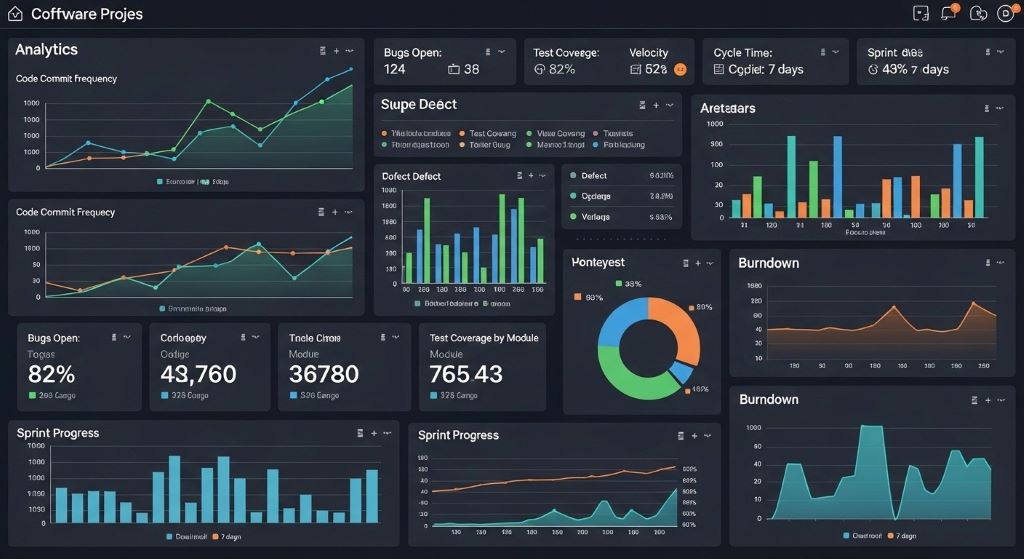
Project metrics provide visibility into development progress and quality trends. Built-in dashboards displaying velocity, defect rates, and code quality prevent surprises. Additionally, customizable reports address stakeholder-specific information needs.
Code quality analytics identify problematic areas requiring attention. Complexity metrics, code duplication detection, and style violations guide improvement efforts. Therefore, proactive quality monitoring prevents technical debt accumulation.
Team productivity insights help optimize resource allocation and processes. Time tracking, commit frequency, and review turnaround metrics reveal bottlenecks. However, excessive monitoring can create counterproductive surveillance cultures.
Historical trend analysis supports continuous improvement initiatives. Comparing metrics across sprints or releases reveals process effectiveness. Moreover, data-driven retrospectives produce more actionable improvement plans.
Conclusion
Selecting appropriate computer-aided software engineering tools significantly impacts large project success. Comprehensive evaluation considering integration, scalability, security, and cost prevents expensive mistakes. Therefore, investing time in thorough CASE tool assessment pays dividends throughout project lifecycles. Teams must balance feature richness against learning curves while ensuring tools support specific project requirements. Additionally, proof of concept testing reveals practical considerations that specification sheets cannot convey. Ultimately, choosing CASE tools aligned with project needs, team capabilities, and organizational constraints creates foundations for successful software delivery.
Frequently Asked Questions
What is the difference between upper CASE and lower CASE tools?
Upper CASE tools support planning, requirements analysis, and design phases, helping visualize system architecture before coding. Lower CASE tools assist implementation and testing, including code generators, debuggers, and automated testing frameworks. Integrated CASE tools combine both capabilities.
How much should organizations budget for CASE tools on large projects?
CASE tool costs typically range from 5 to 15 percent of total project budgets, including licenses, implementation, training, and support. Cloud-based solutions average $50-200 per user monthly, while enterprise on-premises systems require six-figure investments plus maintenance contracts.
Can open-source CASE tools compete with commercial enterprise solutions?
Open-source CASE tools like Git, Jenkins, and Eclipse offer robust capabilities rivaling commercial products. However, enterprise solutions provide integrated features, dedicated support, and compliance certifications. Many organizations blend open-source and commercial tools based on specific needs.
How long does CASE tool implementation typically take for large projects?
Basic CASE tool implementation requires 2-4 weeks for configuration and team training. Complex enterprise deployments with custom integrations and migrations may need 3-6 months. Therefore, factor implementation time into project schedules when adopting new tools.
Should large projects use integrated CASE suites or best-of-breed tools?
Integrated suites offer seamless workflows but may include mediocre components. Best-of-breed approaches select optimal tools for each function but require integration effort. Most large projects benefit from hybrid strategies combining strong integrated platforms with specialized best-of-breed tools.
Related Topics:
How Can Protect Information When Using Wireless Technology?



Leave a Reply